The Complete Guide to Granola Alternatives in 2026
Granola alternatives for AI note-taking include Otter.ai, Fathom, Fireflies.ai, and Liminary Magnet. Compare features, free tiers, and platforms.
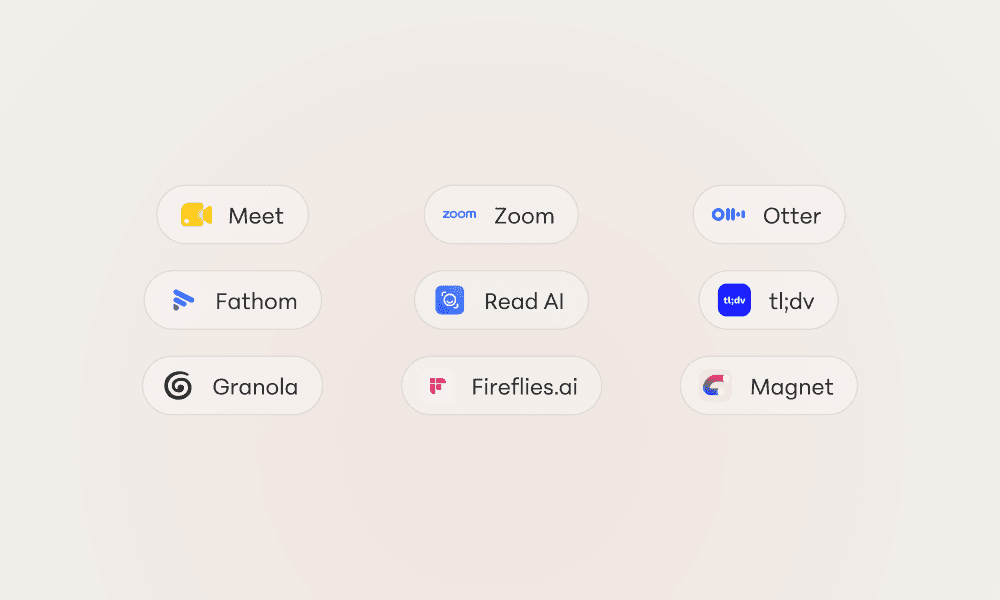
The meeting ended ten minutes ago. You remember someone agreed to own the follow-up — but who, and on what?
Granola made a name for itself by turning your raw meeting audio into clean, structured notes without a clunky bot joining the call. It is genuinely good. But it is not the only option, and it is not the right fit for everyone. Maybe you need deeper CRM integrations, broader language support, a generous free tier, or a tool your whole team can standardize on.
This guide covers the best Granola alternatives for AI note-taking in 2026, compares what each does well, and helps you decide which one fits your workflow.
What AI note-taking actually does
AI note-taking tools listen to your meetings — in person or on a call — and turn the conversation into searchable notes, summaries, and action items. Instead of typing while half-listening, you stay present and let the tool capture the record.
The best ones go further than a raw transcript. They identify decisions, assign owners to tasks, and let you ask questions about what was said weeks later.
Transcription: Convert speech to accurate, speaker-labeled text
Summaries: Condense an hour-long call into a few scannable paragraphs
Action items: Surface who agreed to do what, and by when
Recall: Search across every past meeting to find a single decision
Granola popularized the bot-free approach, capturing audio locally and enhancing your own quick notes. But “default” doesn’t always mean “right fit.”
Why people look for Granola alternatives
The reasons go beyond feature checklists. People switch because of how a tool fits their real workflow.
Platform and device limitations
Granola has historically been Mac-first. If your team lives on Windows, Linux, or needs a reliable mobile capture experience, that constraint alone pushes people to look elsewhere.
Integration gaps
Notes are only useful if they flow into the tools you already use. If your alternative needs to push summaries into a CRM, project tracker, or knowledge base automatically, integration depth becomes the deciding factor.
Team standardization and admin controls
Individual note tools struggle once a whole team adopts them. Shared workspaces, permissions, and consistent meeting templates matter when notes become a company record rather than a personal scratchpad.
Privacy and where recordings live
Conversations contain sensitive client and personnel details. Some teams need clear answers about data retention, encryption, and whether transcripts are used to train AI models.
The gap between capturing notes and actually using them
Most tools capture the meeting well. Far fewer help you resurface the right insight weeks later, when a new project needs a decision from an old call.
What to look for in an AI note-taking tool
Before comparing specific apps, decide which of these factors matters most for your situation.
Capture method: bot vs. bot-free
Bot-based tools join the call as a visible participant and record it. Bot-free tools like Granola capture audio directly from your device. Bot-free feels less intrusive; bot-based often handles recording and video better for distributed teams.
Transcription accuracy and languages
Accuracy varies with accents, jargon, and audio quality. If you work across languages, check how many your shortlist supports before committing.
Summary and action-item quality
A transcript is raw material. The real value is in concise summaries and reliably extracted tasks. This is where tools differ most.
Integrations
Look for native connections to your calendar, video conferencing, CRM, and project tools so notes route themselves without copy-paste.
Recall and search
Can you ask a question across all past meetings and get an answer? This is where most note tools fall short — they are built for capture, not recall.
Pricing and free tier
Free tiers range from a handful of meetings per month to unlimited transcription with limited features. Match the plan to how many meetings you actually run.
The best Granola alternatives compared
Here’s a closer look at the strongest options, organized by what each does best.
Magnet by Liminary (recommended)
Best for: A proactive sidekick that draws from your knowledge and sources
Key features: Surfaces relevant notes, decisions, and sources as you work; pairs with any note-taker; deep recall across past meetings
Drawbacks: A recall layer rather than a standalone capture-only tool
If you want more than a transcript, Magnet by Liminary is our recommended pick. Instead of waiting for you to dig through notes, it acts as a proactive sidekick — drawing from your own knowledge and sources to surface the right insight while you work. Pair it with whichever capture tool you prefer and your meeting history finally starts working for you. Join the Liminary Open Beta →
Otter.ai
Best for: Live transcription and broad platform support
Key features: Real-time transcripts, mobile apps, meeting summaries, generous free tier
Drawbacks: Summaries can be verbose; joins calls as a bot
Otter is the veteran here, with strong live transcription and apps on every platform. A solid pick if cross-device access matters more than a bot-free experience.
Fathom
Best for: Free, fast video call summaries
Key features: Highlight clips, instant summaries, strong free plan, CRM sync
Drawbacks: Focused on video calls rather than in-person meetings
Fathom is popular for its genuinely useful free tier and quick, clean summaries of Zoom, Meet, and Teams calls.
Fireflies.ai
Best for: Teams that need CRM and workflow integrations
Key features: Deep integrations, conversation analytics, searchable knowledge base
Drawbacks: Interface can feel busy for solo users
Fireflies leans into team use, routing notes into CRMs and project tools and offering analytics across many meetings.
tl;dv
Best for: Recording and clipping video moments
Key features: Timestamped highlights, multi-language support, shareable clips
Drawbacks: Best suited to video; bot joins the call
tl;dv shines when you want to capture and share specific moments from a call rather than just a text summary.
Notta
Best for: Multilingual transcription
Key features: Strong language coverage, real-time transcription, translation
Drawbacks: Fewer workflow integrations than competitors
Notta is a strong choice for international teams that record meetings across many languages.
Notion AI
Best for: Teams already living in Notion
Key features: Notes alongside docs and projects, AI summaries, connected workspace
Drawbacks: Meeting capture is less specialized than dedicated tools
If your work already centers on Notion, keeping meeting notes in the same workspace reduces friction.
AI note-taking alternatives comparison table
Tool | Best For | Capture | Free Tier | Platforms |
|---|---|---|---|---|
Granola | Bot-free notes | Local audio | Limited | Mac |
Otter.ai | Live transcripts | Bot | Yes | All |
Fathom | Video summaries | Bot | Generous | All |
Fireflies.ai | Team integrations | Bot | Yes | All |
tl;dv | Video clips | Bot | Yes | All |
Notta | Multilingual | Bot | Yes | All |
Magnet by Liminary | Recall & insight | Flexible | Trial | All |
Best free Granola alternatives
If you’re not ready to pay, a few options stand out.
Fathom offers one of the most generous free plans, with unlimited recordings and summaries for individual users.
Otter.ai includes a free tier with a monthly transcription allowance — good for testing live transcription before paying.
Fireflies.ai gives free users transcription and basic search, with team features gated behind paid plans.
How to switch from Granola to another tool
Moving tools doesn’t mean losing your meeting history. The process is more straightforward than it seems.
1. Export your existing notes
Most note tools, including Granola, let you export notes and transcripts as text or Markdown. Pull down anything you want to keep before switching.
2. Connect your calendar and conferencing apps
Set up the new tool with your calendar, Zoom, Meet, or Teams so it joins or captures the right meetings automatically.
3. Standardize templates and sharing
Define the summary format and who can see notes before rolling it out, so your record stays consistent from day one.
4. Verify accuracy on a few real meetings
Run the new tool on a handful of live calls and check transcription accuracy and action-item quality before committing fully.
Tips for choosing the right note-taking tool
Start with your biggest pain point: Platform support, integrations, accuracy, or recall — let it guide your choice.
Test the free tier first: Most tools let you try several meetings before paying.
Match capture style to your meetings: Bot-free for in-person, bot-based for heavy video calls.
Think about what happens after the meeting: Notes are only useful if you can find them later.
Why knowledge workers need more than meeting notes
Here’s what the comparison charts miss: every note tool solves the same problem — capturing what was said. Few address what happens next.
You recorded the call. You saved the summary. But three weeks later, when a new project needs that exact decision, can you surface it? Consultants, researchers, and analysts often spend real time hunting for insights they already captured once.
Tools like Liminary work alongside your note-taker rather than replacing it. Instead of asking you to dig through transcripts, Liminary surfaces relevant saved content while you work — before you go looking.
Download and try Magnet for free →
Frequently asked questions about Granola alternatives
What is the best free alternative to Granola?
Fathom is a strong free choice, offering unlimited recordings and summaries for individual users across all major video platforms.
Is there a Granola alternative for Windows?
Yes. Otter.ai, Fathom, Fireflies.ai, and Notta all run on Windows, making them good options for teams not on Mac.
Which AI note-taker is best for teams?
Fireflies.ai is built for teams, with shared workspaces, integrations, and analytics across meetings. Fathom and Otter also offer solid team plans.
Do these tools need a bot to join the call?
Most do, joining as a visible participant to record. Granola is bot-free; if you prefer that, look for tools that capture audio locally.
Can I use more than one note-taking tool at once?
Yes, though notes can end up scattered. A recall layer like Liminary helps unify insights across tools so nothing gets lost.